
AI Teacher Study Plans and Exam Prep: How Smart Scheduling Beats Cramming
Walking into an exam with a stack of unread notes is the most stressful way to study — and the least effective. A good AI teacher turns that pile into a day-by-day plan built around how memory actually works, so you revise the right topic at the right time instead of cramming everything the night before.
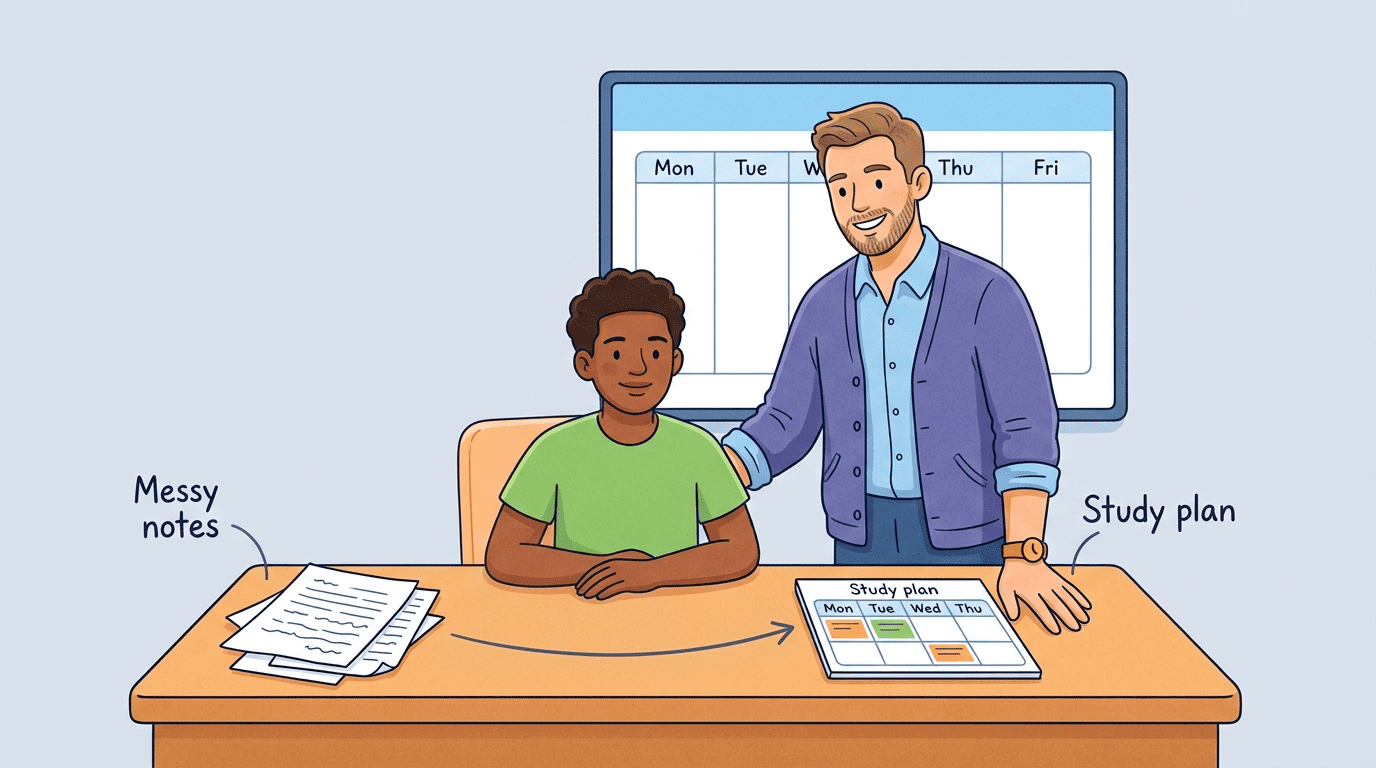
This guide explains how an AI-built study plan works, the learning science behind it, and how to set one up for your next exam.
What an AI Teacher Study Plan Actually Is
An AI study plan takes three inputs — your subjects and topics, your exam dates, and the hours you can realistically study each week — and returns a sequenced schedule. It breaks each subject into topics, orders them logically, assigns them to specific sessions, and inserts review checkpoints so nothing gets learned once and forgotten. An AI tutor doing this job removes the guesswork of “what should I study today,” which is often the biggest reason study plans on paper get abandoned within a week.
From a subject list to a schedule
Feed it a syllabus or a list of topics and it maps out which ones need the most time, which ones build on each other, and where the exam is most likely to test depth versus breadth. The result is a personalized study schedule rather than a generic countdown calendar that treats every topic as equally important. Under the hood, it’s really just three inputs turned into a sequence:
- What you need to learn — subjects, topics, and how deep each one needs to go
- When you need to know it — exam dates, in order
- How much time you actually have — realistic weekly study hours, not an idealized number
None of those three inputs is complicated on its own, but doing the math by hand for five subjects and one exam date each gets tedious fast, which is exactly the kind of scheduling work an AI teacher is built to take off your plate.
Three kinds of AI planners
Not every tool works the same way. The table below breaks down the three common approaches you’ll run into.
| Planner type | How it works | Best for |
|---|---|---|
| Countdown planner | Enter exam dates, get a schedule that distributes remaining topics across the days left | Last-minute exam prep |
| Calendar-block planner | Fits study sessions into your existing timetable and commitments | Students juggling work or sports |
| All-in-one AI teacher | Builds the schedule and generates the study material itself — notes, flashcards, quizzes — from your uploads | Students who want one tool for the whole process |
Which type fits best depends on how much lead time you have. A countdown planner is fine two days before an exam; an all-in-one AI teacher pays off most over a full term, since it keeps building and reweighting the material as you go.
The Learning Science Behind It
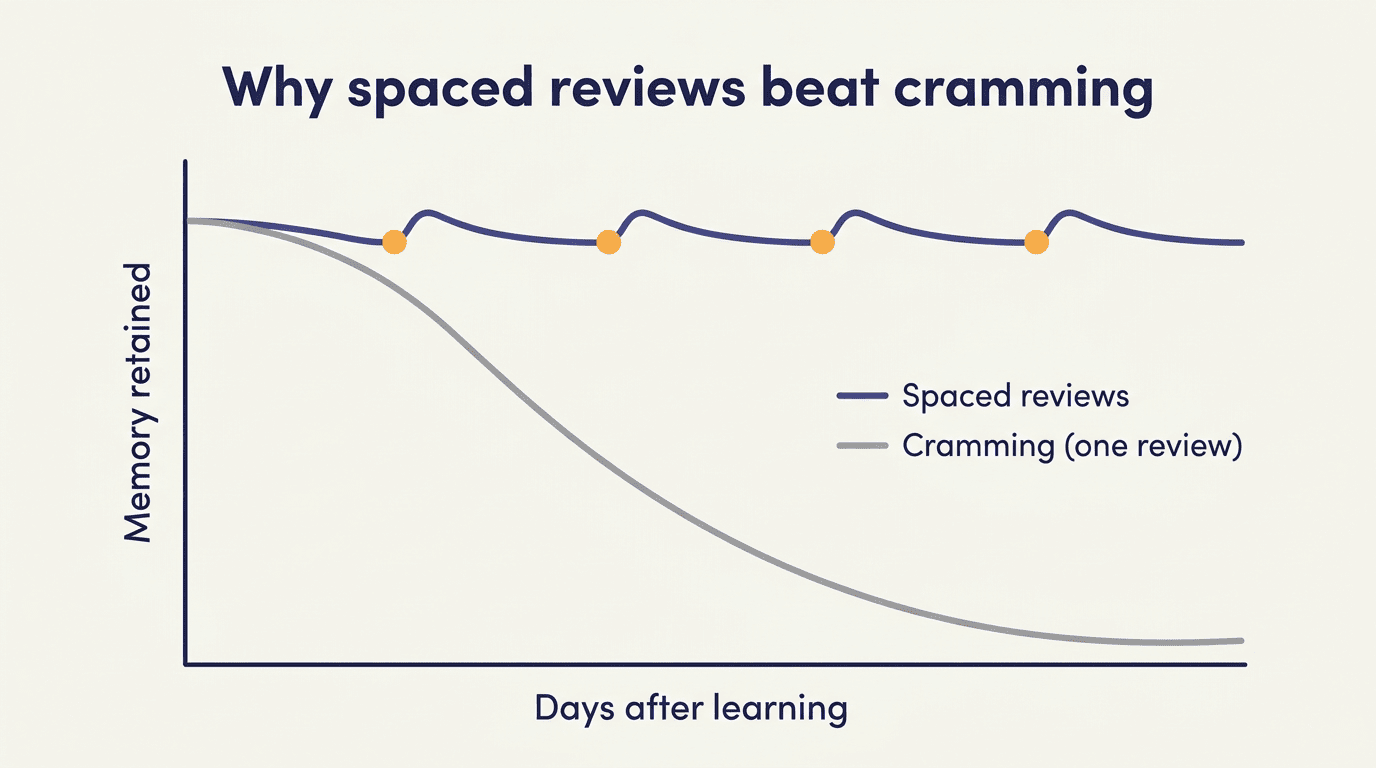
Memory decays quickly without review — the forgetting curve first described by Hermann Ebbinghaus in 1885 shows most newly learned material fades within days unless it is revisited. A cram session fights biology and loses, and no amount of caffeine changes that.
Why cramming fails: the forgetting curve
Ebbinghaus tracked his own recall of nonsense syllables and found that most forgetting happens fast, then levels off. Each time you revisit material before it fully fades, the curve gets flatter and the memory sticks longer — which is the entire logic behind spacing reviews instead of massing them into one session.
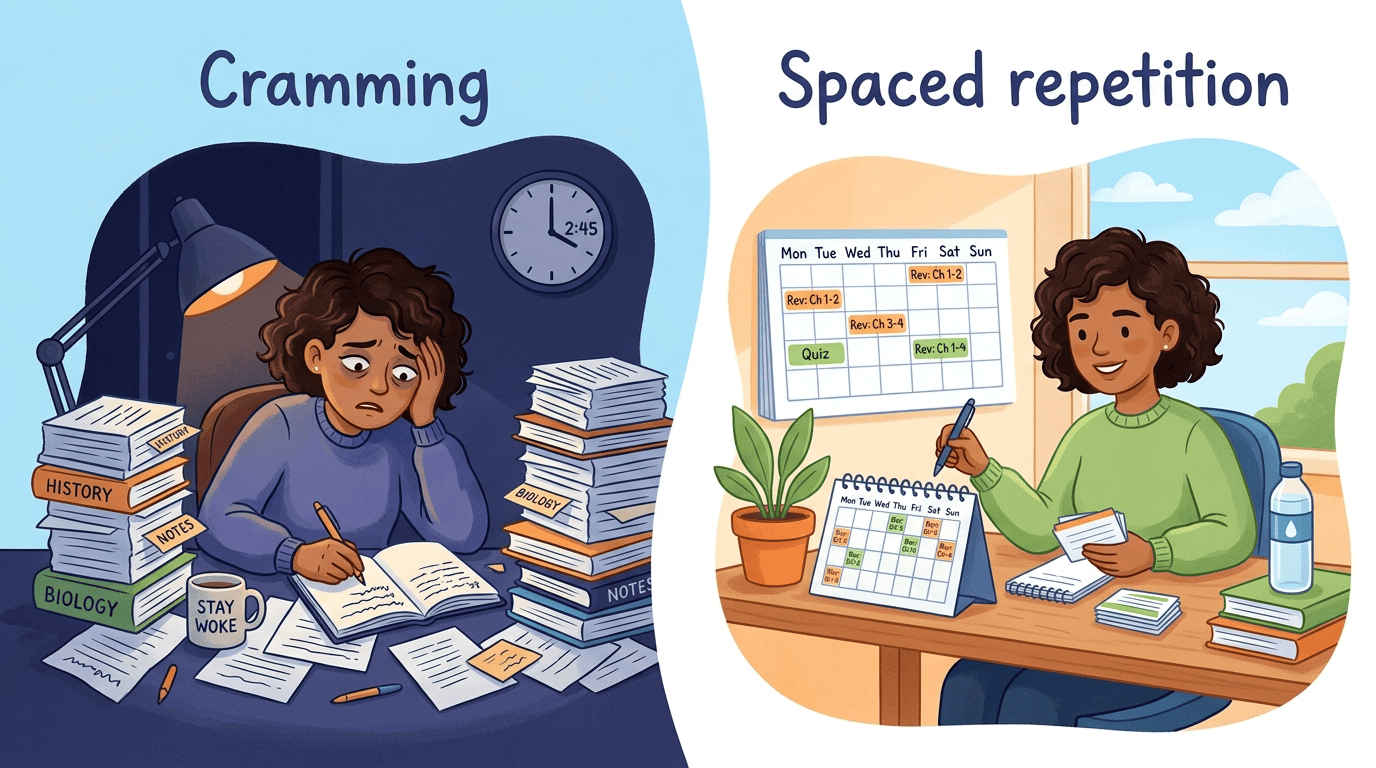
A single all-night cram session might get you through tomorrow’s quiz, but it does almost nothing for what you’ll remember in a month, or even in a week. An exam schedule built around the forgetting curve treats that as the whole design problem, not an afterthought.
Spaced repetition
Instead of one long block, a good plan spreads reviews out over increasing intervals. Decades of studies show spaced repetition produces stronger long-term retention than the same amount of time spent cramming. An AI teacher schedules those reviews automatically, right before you would otherwise start to forget. A typical spacing sequence for one topic might look like:
- First review: the next day
- Second review: three days later
- Third review: about a week later
- Fourth review: two to three weeks later, timed just before exam day
The exact intervals matter less than the principle: each review should land right as the topic starts to slip, not long after you’ve already forgotten it or so soon that you’re just repeating what’s still fresh.
Active recall and interleaving
Testing yourself beats re-reading. Re-reading a chapter feels productive but is a weak way to learn — it creates familiarity, not recall. The testing effect, demonstrated by Karpicke and Roediger in a 2008 study, showed that students who practiced retrieval from memory outperformed students who simply restudied the same material on later tests. This is why AI plans lean on quizzes and flashcards, not just summaries.
Interleaving keeps you sharp. Alternating between related topics in a single session, rather than drilling one subject for hours, forces your brain to keep re-identifying which method or fact applies — closer to what an actual exam demands.
Short focus blocks protect attention. Pairing sessions with a technique like the Pomodoro method — 25 minutes of focused work followed by a 5-minute break — keeps concentration high across a long study day instead of trailing off after the first hour.
How the Plan Adapts to You
A static timetable can’t tell you’re struggling with organic chemistry and comfortable with algebra. An AI teacher can, and it rewrites the plan accordingly.
As you answer practice questions, the AI teacher tracks which topics you get wrong and reweights the plan toward them, spending more sessions on weak areas and fewer on ones you’ve already mastered. This kind of adaptive quiz engine is the main thing separating an AI study plan from a printed timetable that stays the same no matter how the week actually goes. A few signals typically trigger a reweight:
- A topic where you miss more than a set share of quiz questions
- A review session you skipped or postponed
- A flashcard deck with a low correct-recall rate over time
- A big gap between practice-quiz score and the weight that topic was given in the plan
Adaptive quizzes raise or lower difficulty based on your answers, so you’re always working at the edge of your ability, with instant explanations on mistakes instead of waiting days for a graded paper back. That real-time loop is what makes the reweighting possible in the first place — a paper worksheet can’t tell the plan anything.
Dashboards show coverage and retention over time, turning a vague feeling of “am I ready?” into a concrete percentage of topics mastered before exam day. Progress tracking matters because it’s the input the AI uses to keep reweighting the plan — without it, adaptation stops, and the schedule quietly reverts to a generic countdown.
Setting Up an AI Study Plan: A Simple Workflow
Getting started takes a few minutes. Here’s the sequence that works for most subjects and exam formats.
- List every subject and topic you need to cover, as specifically as you can.
- Enter your exam dates and the hours per week you can realistically study.
- Let the AI teacher generate the schedule, with spaced reviews already built in.
- Convert your notes into flashcards and practice quizzes for active recall.
- Study, log your results, and let the plan re-balance around whatever topics turn out to be weak.
Step 4 goes faster if your source notes are already organized. A layout like Cornell note-taking — a narrow cue column next to the main notes, with a summary at the bottom — splits material into question-and-answer pairs almost automatically, which is exactly the shape an AI teacher needs to turn a page of notes into flashcards.
Keep a human in the loop
The strongest results come from a hybrid approach: use the AI to draft the plan and handle the scheduling math, then adjust for real life — a heavier week than usual, a topic you already know is harder for you personally, or a teacher’s hint about what’s likely to be on the test. A study plan is a starting point, not an instruction you have to follow blindly.
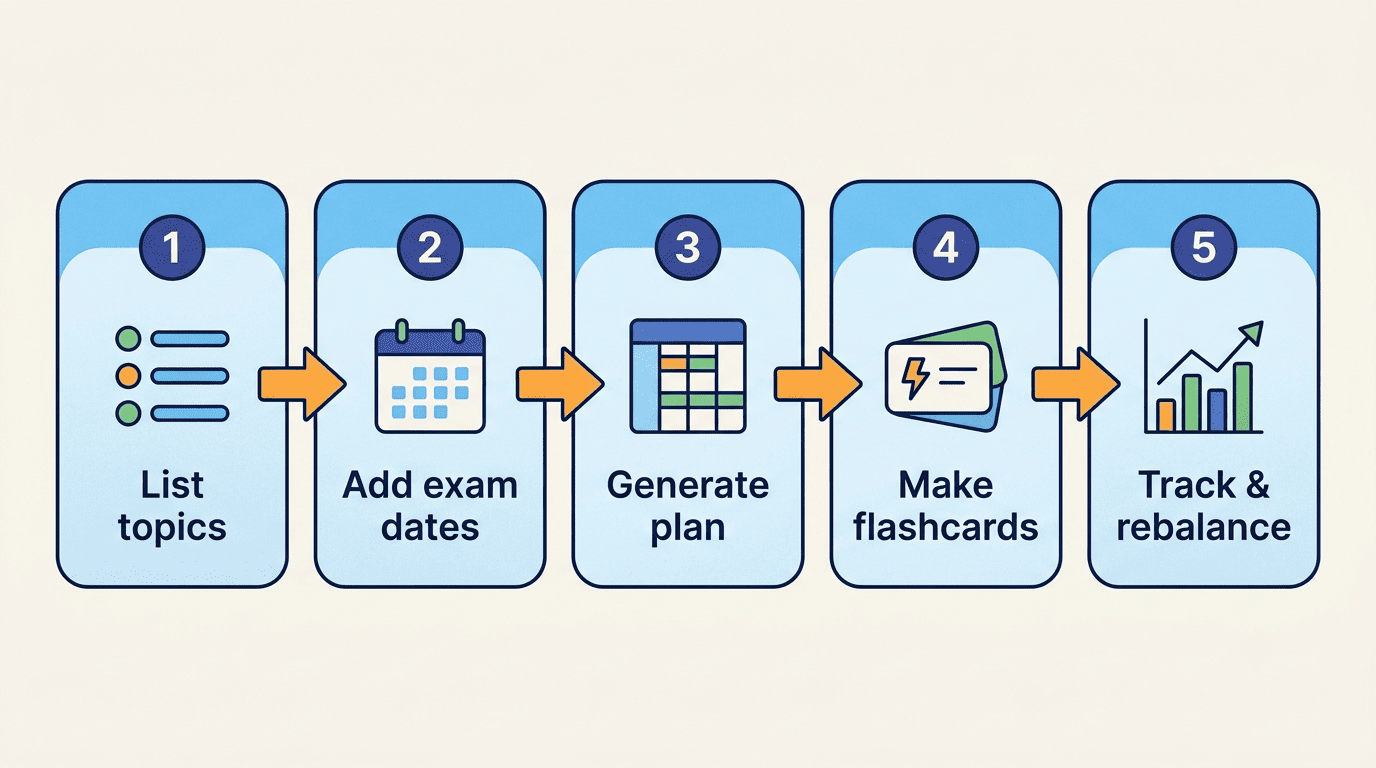
Common inputs and outputs of this workflow look like this:
| You provide | AI teacher returns |
|---|---|
| Subjects, topics, syllabus | Ordered, sequenced study plan |
| Exam dates and weekly hours | Session-by-session calendar with review checkpoints |
| Uploaded notes | Flashcards and adaptive quizzes |
| Quiz results | Reweighted schedule favoring weak topics |
Using AI Honestly for Exam Prep
Using AI well is as much a skill as knowing the material — and it’s one worth taking seriously before exam season, not during it.
Support, not substitute
UNESCO’s guidance on generative AI in education is built on what it calls a human-centred approach:
Based on a humanistic vision, the Guidance proposes key steps to the regulation of GenAI tool, including mandating the protection of data privacy, and setting an age limit for the independent conversations with GenAI platforms.
UNESCO, Guidance for Generative AI in Education and Research
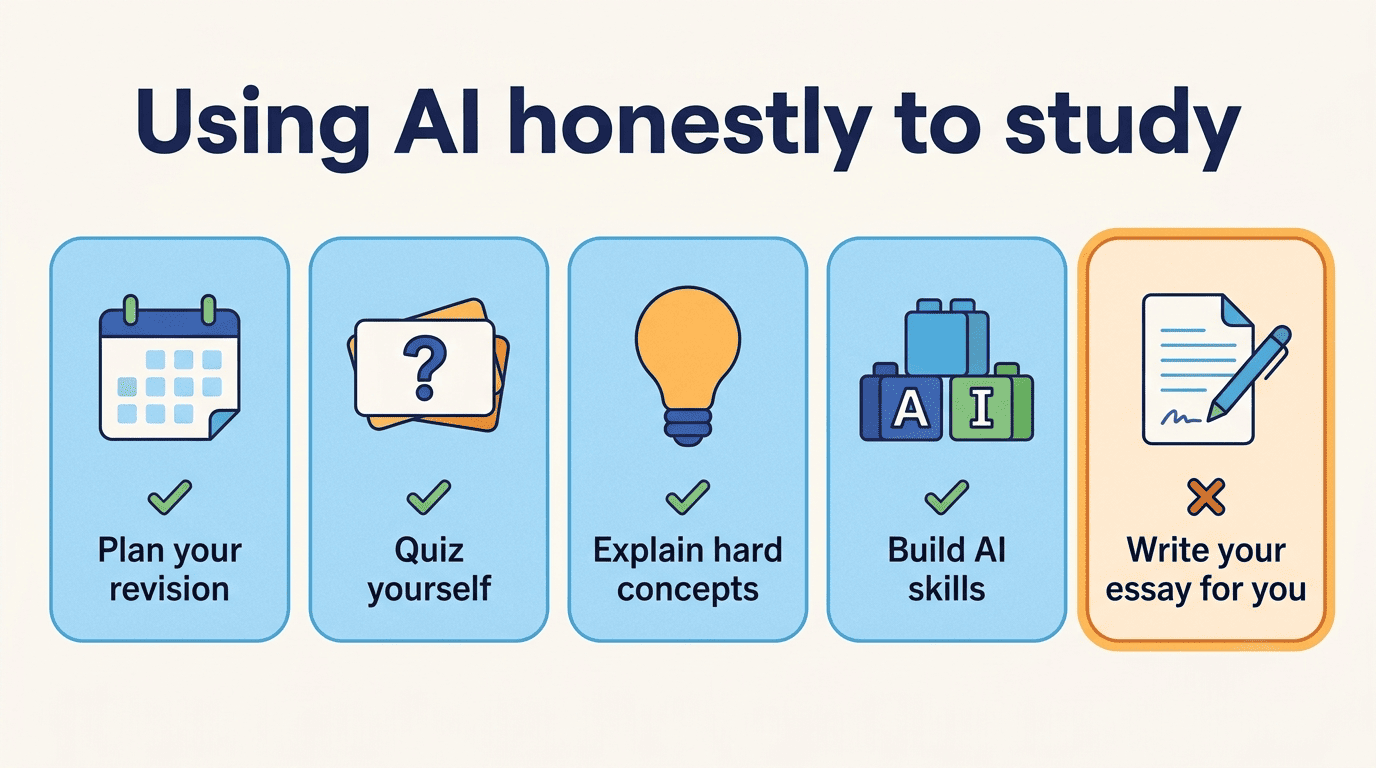
In practice, that means AI should enhance human capability, not replace it. Using an AI teacher to plan revision, quiz yourself, and explain hard concepts builds your own understanding of the material. Having it write your essay for you does not — and most schools already treat the two very differently.
Build AI skills the right way, and mind the basics
UNESCO’s AI Competency Framework for Students frames AI literacy as learning to use these tools responsibly — a skill in itself, alongside whatever subject you’re actually studying. A few practical points worth checking before you rely on any tool:
- Check your school’s academic integrity policy on AI-assisted study versus AI-written submissions.
- Review what data the tool stores about you and for how long.
- Confirm the platform’s minimum age requirement before signing up.
- Treat AI-generated explanations as a starting point to verify against your textbook or teacher, not a final answer.
Try an AI learning assistant as a study coach, and you practice both the subject and the judgment to use AI well.