
AI Teacher: Learn Any Subject, Explained Simply — 24/7
An AI teacher is a learning assistant, powered by generative AI, that explains any subject in plain language, walks you through homework step by step, quizzes you, and helps plan your studies. Our AI teacher is available free to start, 24/7, on any device — it meets you at your level and answers as many questions as you need, without judgment. Researchers have studied this kind of one-on-one, adaptive instruction for decades, and it consistently outperforms group teaching, an effect known in education research as the two sigma problem.
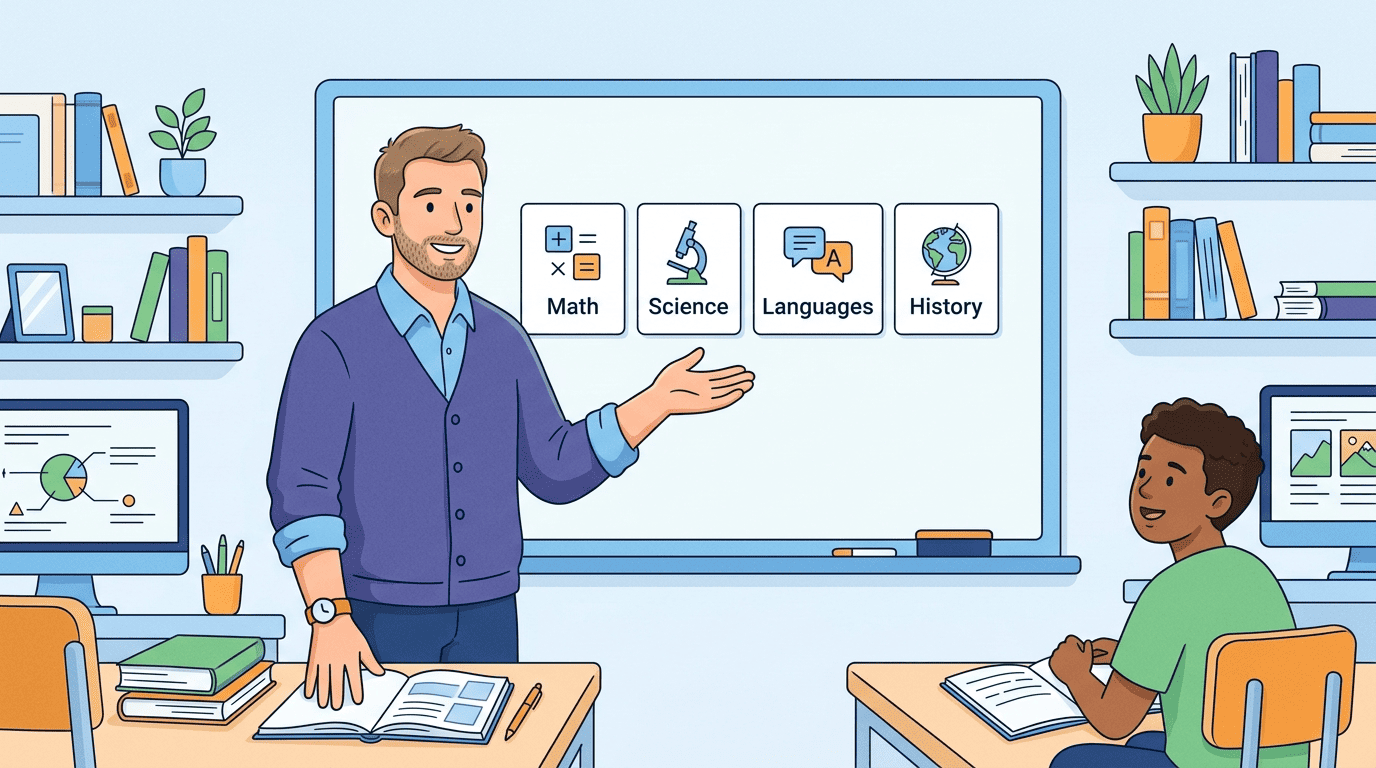
The phrase covers two related tools: a personal AI teacher that teaches you, and an AI teaching assistant that helps educators plan lessons and grade. This guide focuses on the first — the always-on tutor in your pocket — and explains how it works, what it can and can’t do, and how to use it well.
What is an AI teacher?
An AI teacher sits at the intersection of two older ideas: private tutoring and computer-based instruction. Understanding both helps explain why today’s AI teachers feel so different from a search engine or a generic chatbot.
A plain-language definition
An AI teacher is software that behaves like a patient private teacher: you ask a question in your own words, and it explains, gives examples, checks your understanding, and adapts its next answer to how you responded. It builds on decades of research into intelligent tutoring systems, now supercharged by large language models that can hold an open-ended conversation instead of following a fixed script.
Consumer numbers show the demand is real. The free “AI Teacher” Android app has a 4.63/5 rating from more than 560 reviews and over 25,000 downloads, covering math, science, history and literature. The language-focused Teacher AI offers 24/7 conversation practice across dozens of languages. These aren’t niche experiments — they’re everyday study tools.
AI teacher vs. tutor vs. teaching assistant
The terminology overlaps, and it helps to sort it out. “AI teacher” and “AI tutor” are used interchangeably for a learner-facing helper — the student talks to it directly. An “AI teaching assistant” is a different product aimed at educators, automating tasks like lesson planning and grading rather than teaching a student one-on-one.
Both run on the same underlying technology — generative AI and large language models — but the interface, the audience and the goal differ. A student opens an AI teacher to understand a topic; a teacher opens an AI teaching assistant to save prep time. This guide is about the first kind.
How does an AI teacher work?
Under the hood, an AI teacher combines a general-purpose language model with instructional design choices that push it to teach rather than simply answer.
Powered by large language models
An AI teacher runs on a large language model trained on huge amounts of text, which lets it generate explanations, examples and practice questions on almost any topic in seconds, in a conversational back-and-forth rather than a static article. The U.S. Department of Education’s Office of Educational Technology has published guidance urging schools to keep “humans in the loop” when using these systems in learning, rather than treating the AI’s output as final.
That guidance matters because the same flexibility that lets an AI teacher explain photosynthesis, a quadratic equation or the causes of World War I in one session also means it can generate a wrong answer with total confidence. Good AI teacher products are designed around that limitation, not in denial of it.
Adaptive and Socratic
A well-built AI teacher adjusts to your grade level and gives hints before handing over full answers. Sal Khan, founder of Khan Academy, popularized a shift in how these tools are designed: instead of just producing answers, the AI asks the student guiding questions first, closer to how a good human teacher works through a problem with a student rather than lecturing at them. The goal is to keep you working through the reasoning yourself, not to short-circuit it.
This Socratic approach is the core design difference between an AI teacher and a plain chatbot. A general chatbot optimizes for giving you the answer fast; a teaching-focused AI is tuned to slow down, check your reasoning, and only reveal the full solution once you’ve had a real attempt.
What can an AI teacher do for you?
The practical value shows up across a handful of everyday study tasks, not one flashy feature.
Explain any subject, step by step. It breaks a hard concept into simple steps with everyday analogies, spanning grade school through college and adult learning — math, science, reading and writing, history, languages and test prep.
Work through homework so you understand it, not just the answer. Instead of handing over a finished solution, it walks through the reasoning with you, which is also what keeps the exercise from turning into simple cheating.
Quiz you and track weak spots. Quizzes and flashcards with instant feedback let you see where you’re actually stuck, rather than just re-reading notes and assuming you know the material.
Build a realistic study plan. A weekly schedule spreads practice across subjects instead of one long cram session before a test.
Practice languages in short daily sessions. Apps like Teacher AI offer 24/7 speaking practice in roughly 10-minute daily sessions, mapped to CEFR levels for learners from upper-beginner (A2) through advanced (C1).
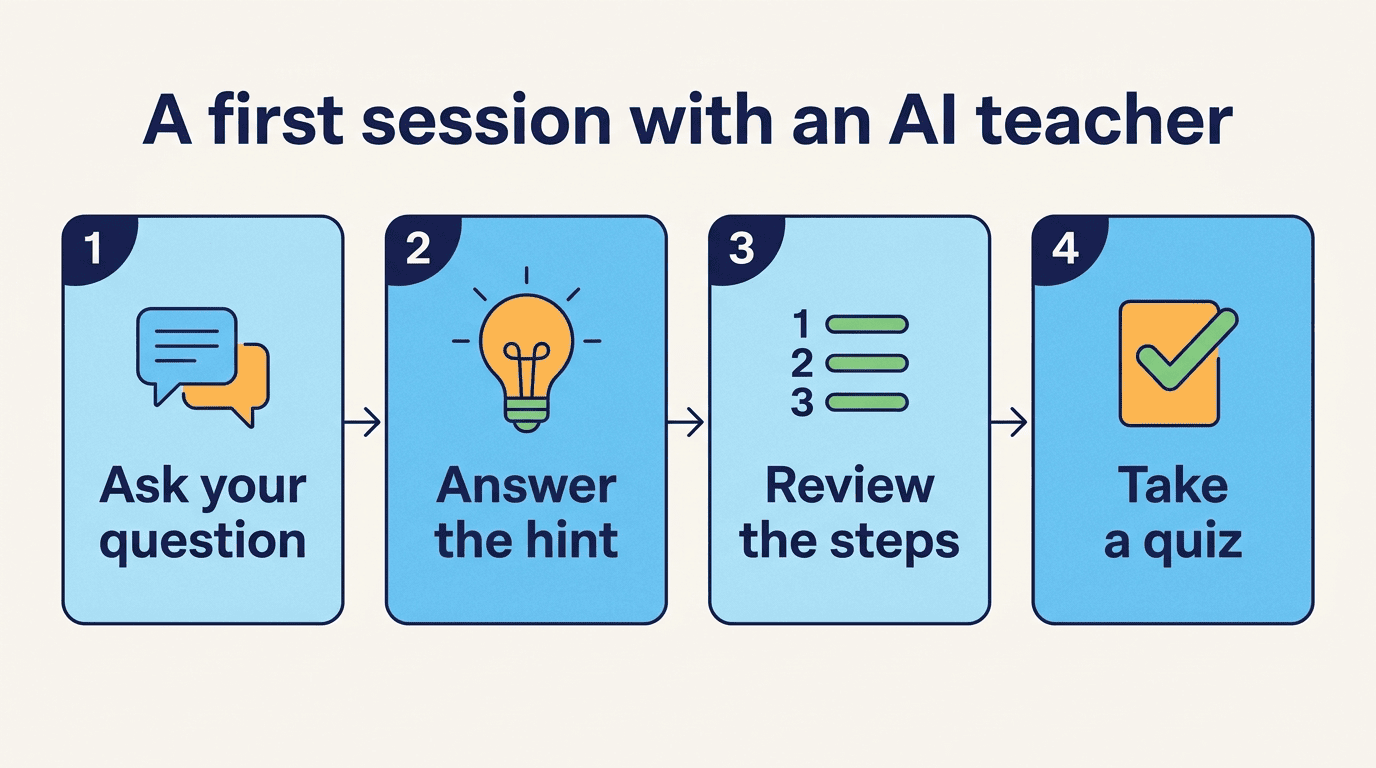
A typical first session with an AI teacher looks similar across most tools:
- State the subject and your current level (e.g., “9th-grade algebra, I’m stuck on factoring”).
- Ask your specific question in your own words — no need for formal phrasing.
- Answer the guiding question the AI asks back, instead of skipping to “just tell me.”
- Review the step-by-step explanation and try a similar practice problem it generates.
- Take the short quiz it offers to confirm the concept stuck.
- Save or bookmark the session if the app supports a study plan, so the topic resurfaces later.
Subjects most commonly covered include:
- Math, from arithmetic through calculus
- Science (biology, chemistry, physics)
- Reading, writing and literature
- History and social studies
- World languages and test prep
AI teacher for students vs. AI tools for teachers
The two sides of “AI teacher” solve different problems, and mixing them up leads to picking the wrong product.
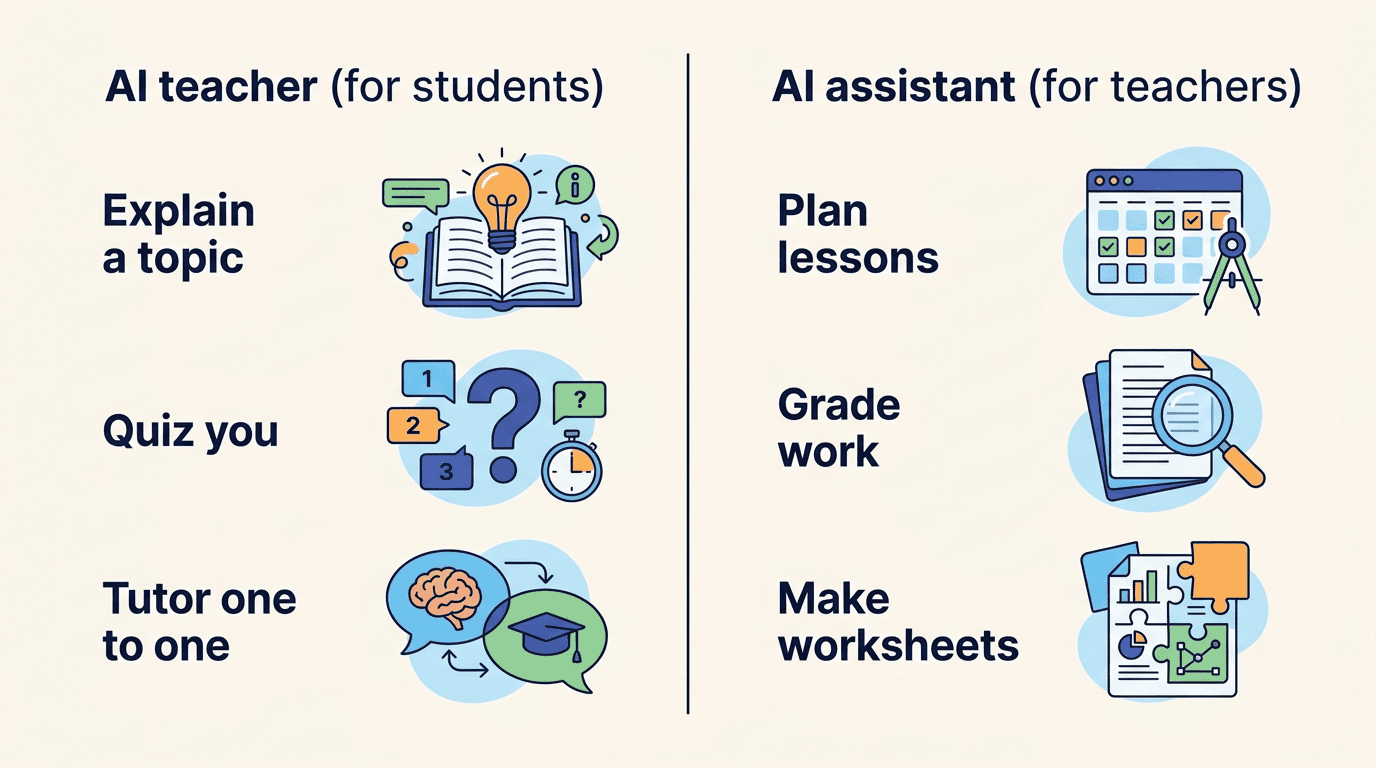
For learners
A personal tutor that teaches and quizzes you is the focus of this page: you’re the one asking questions and getting explanations, practice and a study plan back.
For educators
AI teaching assistants automate the administrative and planning side of teaching rather than tutoring a student directly. MagicSchool offers more than 80 teacher tools and reports saving teachers 7-10 hours a week; a competing tool for educators serves over 400,000 teachers with 150+ tools, and another serves 300,000+ teachers with tiered plans. Typical tasks these tools automate include:
- Drafting lesson plans and unit outlines
- Generating worksheets and quiz questions
- Writing rubrics and grading feedback
- Producing parent and family communications
- Adapting materials for different reading levels or IEPs
| AI teacher (for students) | AI teaching assistant (for teachers) | |
|---|---|---|
| Who uses it | Students, independently | Teachers and school staff |
| Main job | Explain, quiz, tutor 1-on-1 | Plan lessons, grade, generate worksheets |
| Typical session | A few minutes to an hour, on demand | Batch tasks between classes |
| Reported benefit | Faster understanding, 24/7 practice | 7-10 hours saved per week |
Is there a free AI teacher? Cost and plans
Cost is usually the first question, and the honest answer is that both free and paid options are legitimate — the right one depends on how much structure you need.
Free options
Many AI teachers are free to start. Khanmigo from Khan Academy is 100% free for teachers, backed by Microsoft, which donated the underlying Azure infrastructure so the tool no longer carries its original per-teacher subscription fee; several learner-facing apps, including the free “AI Teacher” app mentioned above, are free with optional upgrades.
Paid plans and value
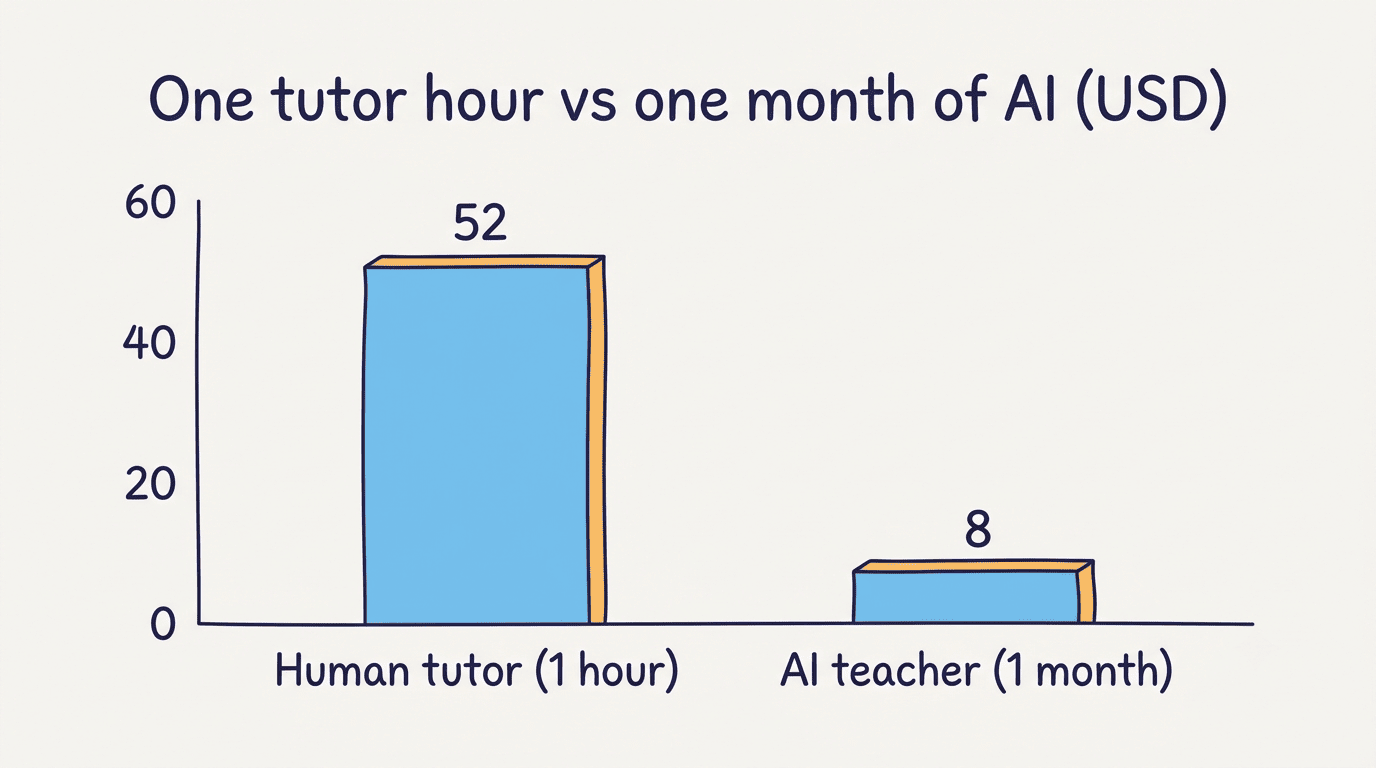
Compare that to human tutoring, which typically runs $25-80 an hour in the U.S. Subscription AI teachers cost a fraction of that: Teacher AI starts around $8 a month on an annual plan, and another competitor’s tiers run roughly $6-12 a month depending on usage limits. Our own AI teacher app follows the same idea — free to start, so you can try a real session before deciding whether a paid tier is worth it.
| Plan type | Typical cost | Availability |
|---|---|---|
| Free tier | $0 | Most learner apps, Khanmigo for teachers |
| Entry subscription | ~$6-12/month | Subject- and task-focused apps |
| Annual subscription | ~$8/month equivalent | Discounted vs. monthly billing |
| Human tutor (comparison) | $25-80/hour | In-person or live online |
Can an AI teacher replace a human teacher?
This is the question every parent, student and teacher eventually asks, and the honest answer is a clear no — with a real “but.”
A partner, not a replacement
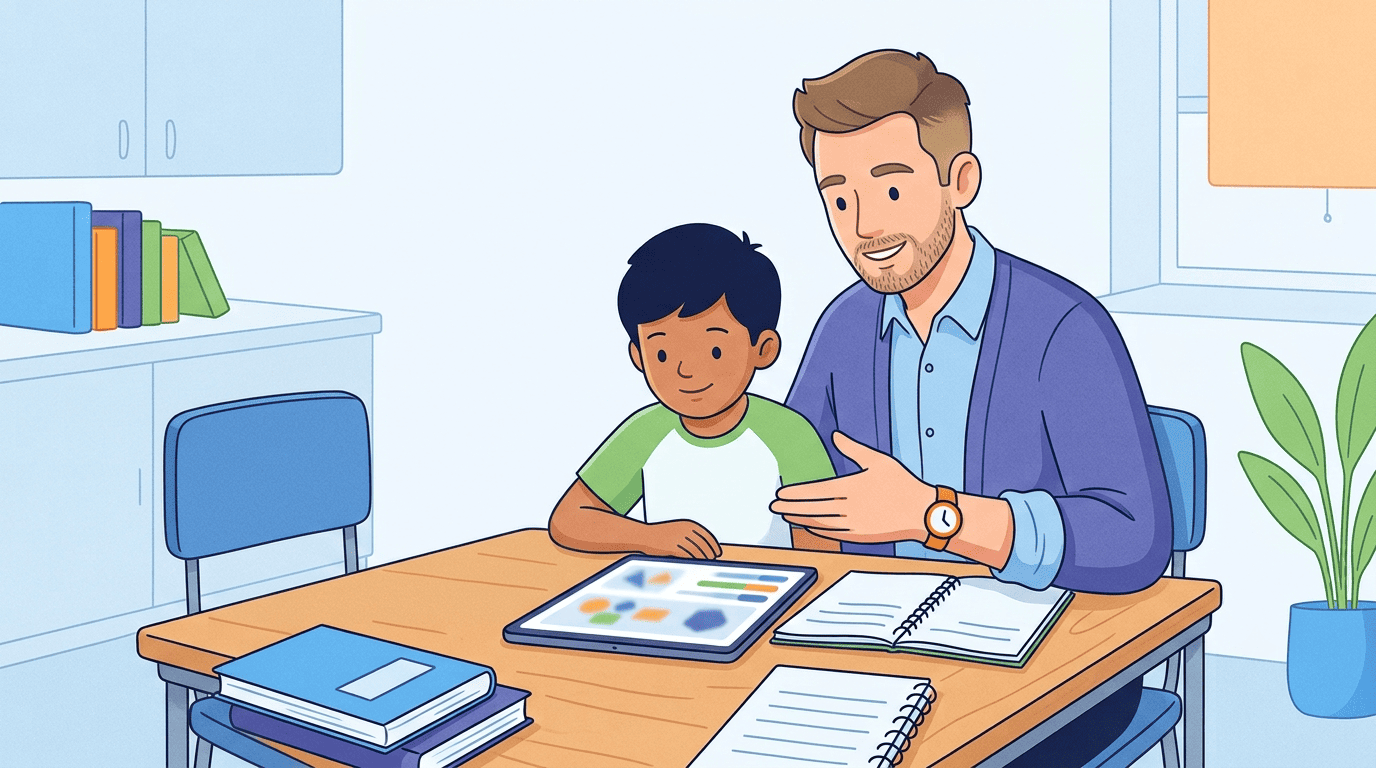
An AI teacher is a powerful practice-and-explanation tool available 24/7, but it doesn’t replace a qualified teacher, a classroom, or human mentorship. The rollout of generative AI in schools tells its own story here: several large U.S. districts, including Los Angeles and New York, initially banned generative AI tools in classrooms, then reversed course and moved toward teaching with them once clearer guidance emerged.
The guidance is anchored in a humanistic approach to education that promotes human agency, inclusion, equity, gender equality, cultural and linguistic diversity, as well as plural opinions and expressions.
UNESCO
UNESCO has made a similar case internationally, calling for a human-centered approach to generative AI in education that keeps teachers and human judgment at the center of decisions about a student’s learning.
Learning, not cheating
An AI teacher is meant to help you understand material and check your own reasoning, not to write your assignment for you. Follow your school’s academic-integrity policy, and don’t submit AI-generated work as your own — the entire value of the tool is in the explanation, not in outsourcing the thinking. Uses that stay clearly on the right side of that line include:
- Asking it to explain a concept you got wrong before a retake
- Working through practice problems it generates, not your actual homework set
- Checking your own draft or proof for logic errors, not asking it to write the draft
- Using it to prep questions for your real teacher, rather than skipping them
How accurate and safe is an AI teacher?
Two separate questions matter here: can you trust what it tells you, and can you trust it with student data.
Verify important facts
Large language models are probabilistic text generators, not databases of verified facts, which means an AI teacher can be wrong or outdated — sometimes confidently so. AI can make mistakes, so always double-check high-stakes facts, dates and formulas against a textbook, teacher or another reliable source before relying on them for a test or assignment. Try our AI teacher online with that same habit: use it to build understanding, then verify anything that matters.
Privacy and younger learners
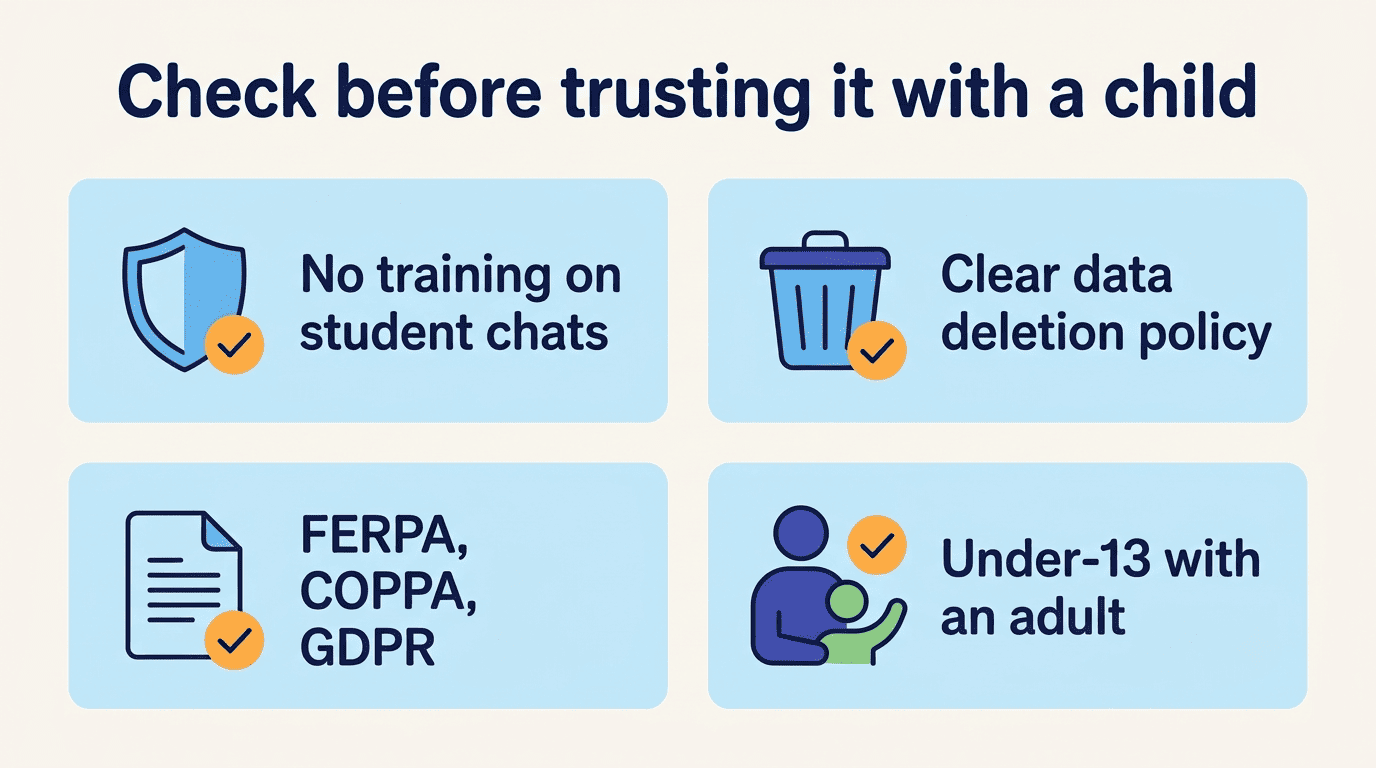
Reputable AI teacher products are built around student-privacy rules, not around ignoring them. In the U.S., that means compliance with FERPA and COPPA; in the EU, GDPR sets the baseline. Look for a few concrete signals before trusting a tool with a younger student’s data:
- The provider states it doesn’t train its models on student conversations
- It publishes a clear data-retention and deletion policy
- It’s explicit about FERPA/COPPA (U.S.) or GDPR (EU) compliance
- Students under 13 use it alongside a parent, guardian or teacher, not alone
An AI teacher is not a substitute for a qualified teacher — treat it as a well-informed study partner, and keep a real teacher, parent or textbook in the loop for anything graded or high-stakes.